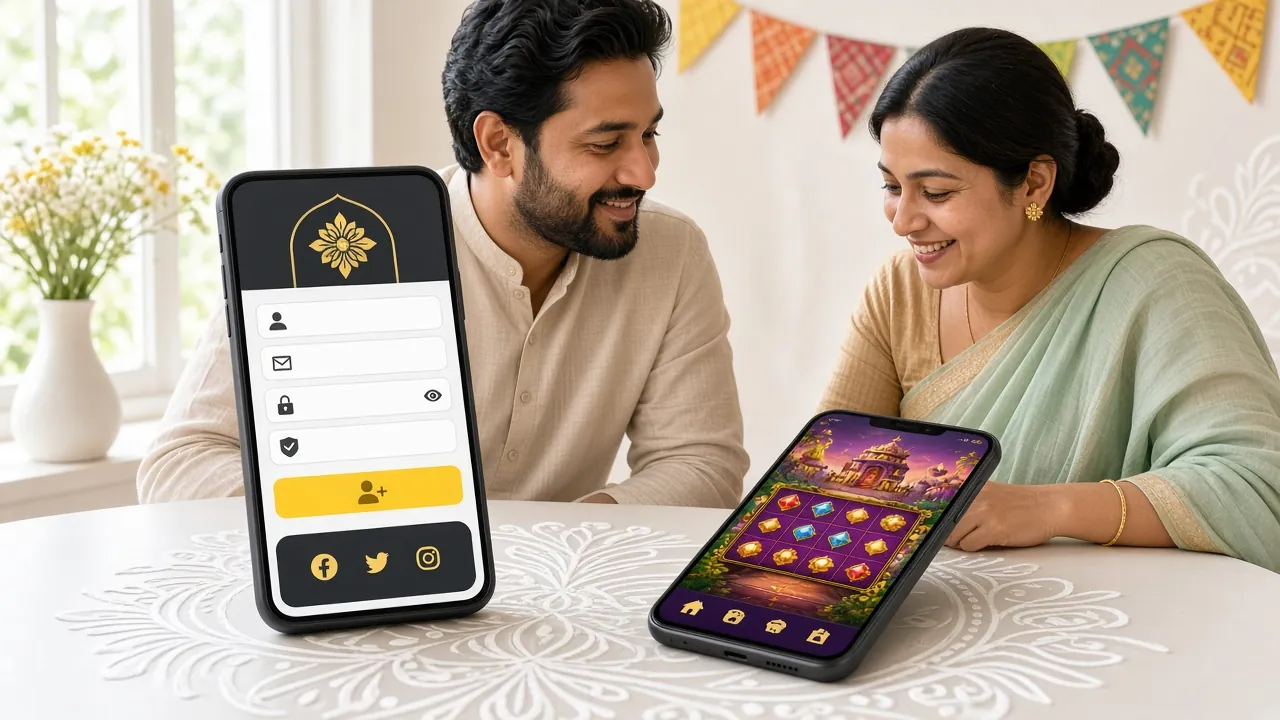
What You Get in the 3d44 App
Live Cricket Betting
Follow BPL, IPL, T20 and ODI matches ball by ball. Place bets mid-over, check updated odds in real time, and cash out before the final wicket. The app refreshes odds faster than a mobile browser — no lag during key moments.
Slots and Crash Games
Access all slots from JILI, Playtech, Red Tiger, CQ9, JDB and Evolution directly from the app lobby. Crash games like JILI Crash load within seconds. Min bet starts at ৳1, so you can spin without committing a large amount.
Live Casino Tables
Baccarat, roulette and live dealer games stream smoothly over a standard mobile data connection. Evolution and Playtech live tables are available around the clock. Chat with the dealer directly from the in-app interface.
bKash and Nagad Deposits
Deposit with bKash, Nagad, Rocket, Upay or bank transfer inside the app. The process takes under 4 minutes. Minimum deposit is ৳250. The same wallet you use every day works here — no card or extra account needed.
Fast Withdrawals
Request a withdrawal and receive funds in around 20 minutes. The minimum is ৳1,300 and the daily maximum is ৳1,65,000. Submit your KYC documents once — the app saves your verified details for every future transaction.
Bonuses and VIP Rewards
Claim your first-deposit bonus, check daily cashback and track your VIP tier progress all from one tab. Reload bonuses, referral rewards and your personal VIP manager (Elite and Signature tiers) are accessible without opening a browser.
Already have an account? Log in to 3d44 New player? Register now
App vs Browser: What's Different
Both routes give you access to the full 3d44 game library and your account. Here is where they differ day to day.
| Feature | 3d44 App (APK) | Mobile Browser |
|---|---|---|
| Odds refresh speed | Faster (direct push updates) | Slightly slower (page reload) |
| Home screen shortcut | App icon, one tap | Bookmark only |
| Push notifications | Match start, withdrawal confirmed | Not available |
| Data usage per session | Lower (cached assets) | Higher (loads full pages) |
| Game library | Full — all 2,800 games | Full — all 2,800 games |
| bKash / Nagad deposits | Yes, in-app | Yes, in browser |
| KYC document upload | Camera direct upload | File upload from gallery |
| Auto login (biometric) | Fingerprint / face unlock | Password only |
| Offline score tracking | Last known scores cached | Requires live connection |
| Install required | Yes — download APK once | No install |
If you bet on live cricket and want push alerts for wickets and score changes, the app gives you a clear advantage over the browser version.
Get the 3d44 APK — Free Download
Direct APK file for Android. No Google Play store needed. Scan the QR code or tap the button below.
Scan to download the 3d44 APK directly to your Android phone. Works with any QR scanner app.
- Verified APK file — downloaded directly from 3d44 servers, not third-party app stores. The file is scanned for malware before each release.
- Auto-update notifications — when a new version is available, the app tells you inside the lobby. Current version is 3.6.13, updated 3 November 2026.
- Battery-efficient design — the 3d44 App loads cached assets, so live game sessions use less CPU than a full browser tab. Comfortable for long cricket match sessions.
- English and Bangla interface — switch language in Settings at any time. All game names, odds labels and payment instructions appear in both languages.
Install 3d44 on Android: Step by Step
Android blocks APK files from outside Google Play by default. You need to allow installs from unknown sources once — it takes about 30 seconds.
-
1
Allow Unknown Sources in Settings
Open your phone's Settings app. Go to Biometrics and Security (Samsung) or Privacy (other Android brands), then tap "Install Unknown Apps." Find your browser or file manager in the list and toggle it to "Allow." This permission applies only to that app and does not lower your overall security. You can turn it off again after installation.
-
2
Download the 3d44 APK File
Tap the "Download APK" button on this page from your Android browser. The file is named 3d44.apk and is 28 MB. Your browser will show a download progress bar at the bottom of the screen. If your browser asks "this type of file can harm your device," tap "Download anyway" — this is a standard Android warning for all APK files.
-
3
Open the Downloaded File
Once the download is complete, tap the notification or open your phone's Files app. Navigate to the Downloads folder and tap 3d44.apk. Android will show a permissions screen listing what the app requests (internet access, storage read and camera for KYC). Review these and tap "Install." Installation takes about 15–20 seconds.
-
4
Open the App and Log In
After installation, tap "Open" on the confirmation screen or find the 3d44 icon on your home screen. If you already have a 3d44 account, tap Log In and enter your phone number and password. If you are new, tap Register — it takes under two minutes to create an account directly in the app.
-
5
Make Your First Deposit and Claim the Bonus
Tap the Deposit button in the app menu. Choose bKash, Nagad, Rocket, Upay or bank transfer. The minimum deposit is ৳250. Funds arrive in about 4 minutes. Your first deposit automatically qualifies for the welcome bonus — the app will show a banner confirming it has been credited to your bonus wallet.
iPhone Users: Add 3d44 to Your Home Screen
Apple does not allow third-party APK installs. The best option on iPhone is to save the 3d44 website as a home screen shortcut — it behaves like an app and opens in full screen without browser chrome.
- 1Open Safari on your iPhone and go to 3d44.ws. The site is fully responsive and works well on all iPhone models from iPhone 8 onwards.
- 2Tap the Share button at the bottom of the Safari screen (the box with an upward arrow). Scroll down the share sheet to find "Add to Home Screen."
- 3Tap Add in the top right corner. A 3d44 icon will appear on your home screen. Tapping it opens the site in full-screen mode — no browser address bar visible.
- 4Log in or register from the full-screen view. All features including bKash deposits, cricket betting and live casino are accessible. The experience is very close to a native app on most iOS versions.
Version Details and Requirements
All figures below come directly from the 3d44 App release notes. Check these before you download.
| App Version | v3.6.13 |
| File Name | 3d44.apk |
| File Size | 28 MB |
| Minimum Android | Android 8.0 (Oreo) |
| Last Updated | 3 November 2026 |
| Price | Free |
| Languages | English, Bangla |
| iOS support | Home Screen PWA (Safari) |
| Platform | Android (APK direct) |
| Distribution | 3d44 official website only |
Android 8.0 covers phones from 2017 onwards — including most Walton, Symphony and Samsung Galaxy A-series handsets common in Bangladesh.
Games Available Inside the App
All 2,800 titles load inside the app. The tiles below are some popular picks. See the full casino library.

Fortune Rabbit
JILI · RTP 96.3%

Diamond Tycoon
Playtech · RTP 96.7%
Crash
JILI · RTP 97.3%
Mahjong Ways 2
JILI · RTP 96.3%
Ultra Treasure
Red Tiger · RTP 97.1%
Dragon Tiger Luck
JDB · RTP 96.6%
Circus Delight
Evolution · RTP 96.0%
Butterfly Blossom
JILI · RTP 96.1%
Explore the full game collection: 3d44 Casino lobby
Security and App Permissions Explained
During installation Android will list the permissions the 3d44 App requests. Here is what each one is for — and what the app never asks for.
Internet Access
Required to load live game data, cricket odds, payment pages and your account balance. The app does not send any data in the background when it is closed. All traffic goes over an encrypted HTTPS connection with TLS 1.3.
Camera (Optional)
Used only if you choose to upload your National ID, Passport or Driving Licence for KYC verification from within the app. The camera is never active in the background. You can upload a saved photo from your gallery instead, so this permission is genuinely optional.
Storage Read Access
Needed to let you select images from your gallery when uploading KYC documents. The app cannot write to or modify your existing photos or files. Storage access is only triggered when you actively open a file picker inside the app's verification screen.
What 3d44 Never Requests
The app does not ask for access to your contacts, call logs, SMS inbox, microphone, location or other installed apps. If you ever see a version of the 3d44 APK that asks for these, it is not the official file — download only from 3d44.ws.
Install Problems: Causes and Fixes
Most install errors have a simple fix. If none of these help, contact the 3d44 support team via Live Chat — available 24/7.
| Problem | Likely Cause | How to Fix |
|---|---|---|
| "Install blocked" message appears | Unknown sources permission is off for your browser or file manager | Go to Settings → Security → Install Unknown Apps. Find your browser (Chrome, Firefox or Samsung Internet) and toggle "Allow from this source" to on. Then try opening the APK again. |
| Download stops at 0% or never starts | Browser is blocking APK downloads by default, or connection dropped mid-request | Switch to Chrome or Samsung Internet if you are using a less common browser. Check your Wi-Fi or mobile data connection, then tap the download button again. The file is 28 MB — a stable connection is needed. |
| "App not installed" error after tapping the APK | An older or corrupted version of 3d44 is still on the device, or storage is full | Uninstall any previous 3d44 APK from Settings → Apps. Free up at least 60 MB of storage, then re-download the latest APK (v3.6.13) from this page and try installing again. |
| App crashes immediately on launch | Android version below 8.0, or download file is corrupted (partial download) | Check your Android version under Settings → About Phone. If it is below Android 8.0, use the mobile browser at 3d44.ws instead. If your Android is 8.0+, delete the APK and download a fresh copy — the file may have been cut short. |
| Log-in screen shows "Session expired" immediately | Phone date and time are set incorrectly, causing the security token to fail | Go to Settings → General Management → Date and Time and enable "Automatic date and time." Restart the 3d44 App. Your session token will sync correctly and the login will go through on the first attempt. |
Questions Players Ask Before Downloading
Is the 3d44 APK safe to install on my phone?
Yes. The APK is built and signed by the 3d44 development team and hosted only on 3d44.ws. It is scanned for malicious code before every release. The app requests only three permissions — internet, camera (optional for KYC) and storage read (optional for file upload). It does not access your contacts, SMS or location. Always download from this page to make sure you have the official file and not a modified copy from a third-party site.
My phone says "Parse error" when I try to install. What does that mean?
A parse error almost always means the APK file did not download completely. This happens if your internet connection dropped during the download. Delete the existing 3d44.apk from your Downloads folder, reconnect to Wi-Fi or a stable mobile data network, and download the file again from this page. Once the full 28 MB is downloaded the parse error will not appear. If it persists, try a different browser such as Chrome.
How do I update the 3d44 App when a new version is released?
The app displays an update banner inside the lobby whenever a new version is available. Tap the banner and it will take you to this download page. Download the new APK and install it over the existing app — you do not need to uninstall first. Your account, balance and bet history are stored on the 3d44 servers, not on the device, so nothing is lost during an update. The current version is 3.6.13, released 3 November 2026.
Can I use the 3d44 App on two phones at the same time?
Your 3d44 account can be active on one device session at a time. If you log in on a second phone, the first session will be automatically signed out as a security measure. You can install the APK on multiple Android devices, but only the most recently logged-in device will have an active session. This protects your account if your phone is lost or stolen. To stay logged in on a different phone, simply open the app and log in again.
Does the app work over mobile data (3G/4G), or do I need Wi-Fi?
The 3d44 App works on any internet connection — Wi-Fi, 4G or 3G. Live casino video streams and live cricket odds updates use the most data. On a standard Grameenphone or Robi 4G connection, a 30-minute live casino session uses roughly 80–120 MB. Slots and crash games use much less. The app caches images and interface assets so subsequent sessions after the first launch load faster and use less data.
I do not have a 3d44 account yet. Can I register directly inside the app?
Yes. Tap the "Register" button on the app's opening screen. You will need your mobile number, a password and your date of birth (you must be 18 or older). The whole process takes under two minutes. After registering in the app, you can deposit immediately using bKash or Nagad and your first-deposit bonus will be applied automatically. There is no need to visit the website separately to create your account.
What is the minimum deposit I can make through the app?
The minimum deposit is ৳250 regardless of which payment method you use — bKash, Nagad, Rocket, Upay or bank transfer. Deposits arrive in about 4 minutes. The minimum withdrawal is ৳1,300 and your daily withdrawal limit is ৳1,65,000. Before your first withdrawal you will need to complete KYC verification by uploading one identity document (NID, Passport or Driving Licence). KYC review takes up to 6 hours and your first withdrawal is processed within 2 hours of approval.
Ready to Play on 3d44?
Download the APK, create your free account and make a deposit of ৳250 or more to get started. Support is available 24/7 if you run into any issues.
- 18+ Only
- SSL Encrypted
- 24/7 Support
- bKash & Nagad
- Android 8.0+
- Free APK
- ~4 min Deposit
- Play Responsibly